Pre-drywall capture
See through
walls.
One walk with a 360° camera. A 3D record of the studs, pipes and wires behind your drywall.
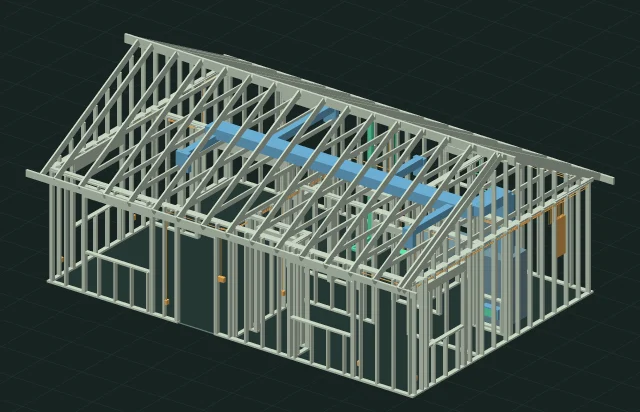 Generated demo house / 442 objects
360° walkthrough
Step back inside.
Walk the house before the board goes up. Later, glide from camera to camera and look straight at the wall you remember.
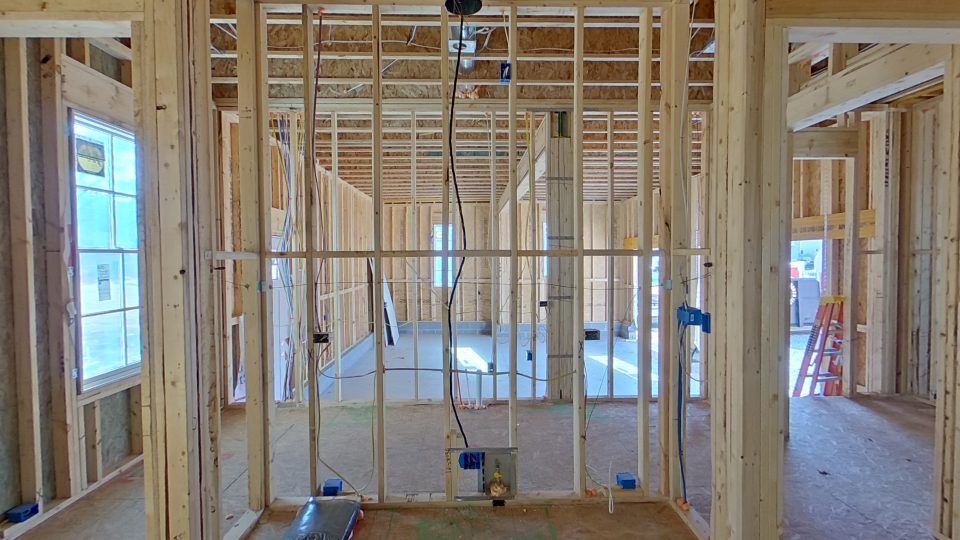 House A / Ground floor Enter the 360° tour
Choose a camera (4)
Object-level model
Peel back
the drywall.
Follow a pipe through the framing. Pick a stud, plate, header, cable, duct or box to see what it is. Tap two surfaces to measure between them.
Open the model viewer ↗Pre-drywall inspection
Catch it while
the wall is open.
Give the framer a specific stud to check. Each finding connects an object to the reading that flagged it.
Stud leans
0.3° from plumb
Inspect reading
The example flags a stud past its 0.25° review threshold. The line shows its measured centre, with the lean enlarged.
From site to model
Capture once.
Come back anytime.
Builders and inspectors walk the rough-in with a 360° camera. Lyncsight builds the house record. Trades can trace a run, and homeowners can revisit the wall years later.
Read the capture guide →Bring your next build.
Early access is open by invitation.